Send to a coach writes the email that goes with your highlight video. Cutup already knows most of what a coach needs to read: your name, position, class year, school, city and state, your height and weight, your stats and the link to your reel. It puts them in a short email in the shape coaches expect, and you add the one sentence only you can write: why you want that program. Then you send it from your own email account. It is free, in the Cutup app for iPhone and iPad.
What goes in the email?
- A subject a coach can sort by: your name, position, class year, school and state, then "highlight video".
- Who you are, in one sentence, worded for your sport: "I am a quarterback at...", "I wrestle at 132 lb for...", "I box at Light Heavyweight out of...".
- Your reason for writing to that program, in your own words.
- Your highlight video link, and full game film if you have it.
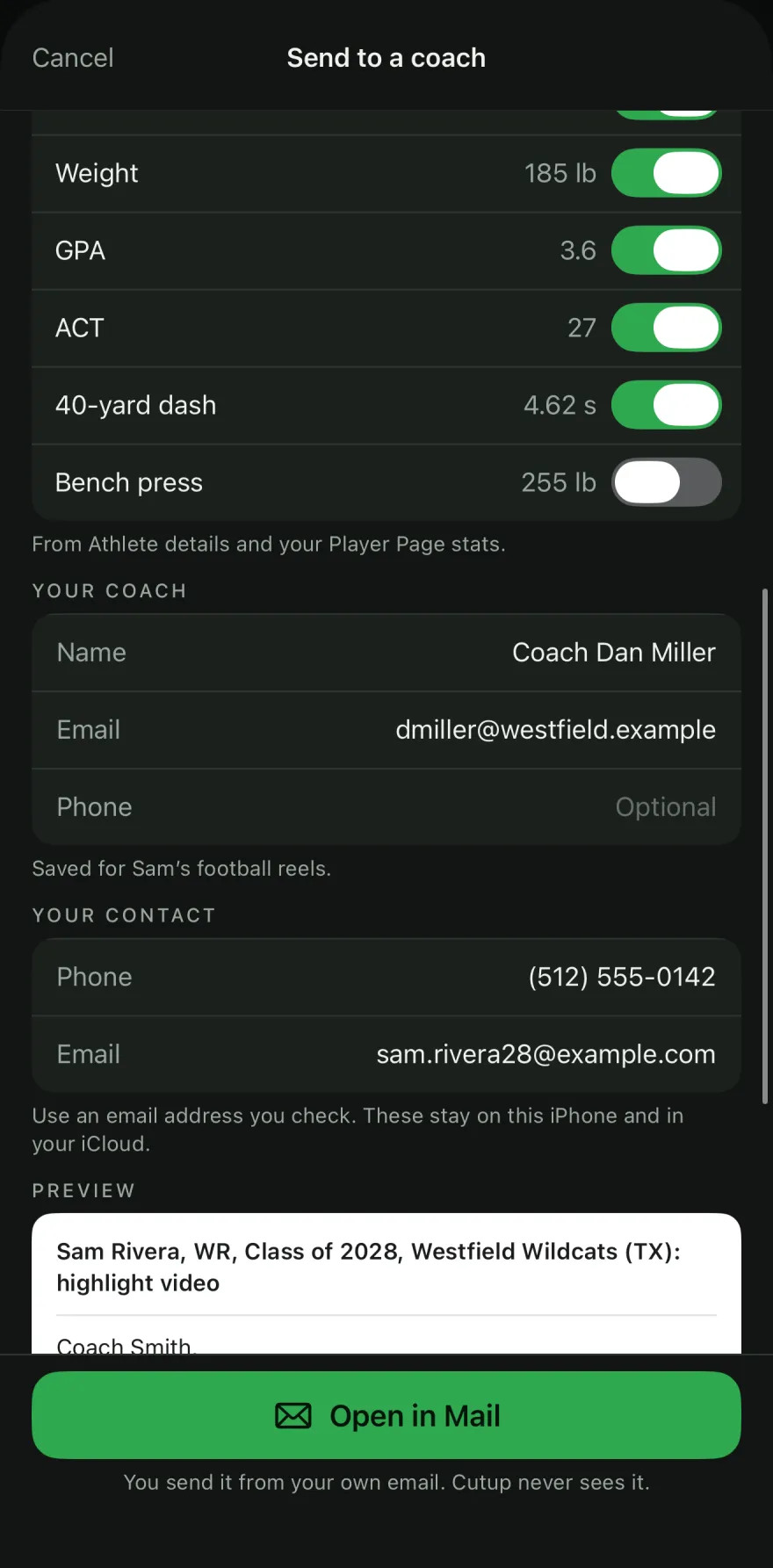
- Your numbers: height and weight, GPA and test scores, and the stats you feature on your Player Page. Each one has a switch, so you choose what goes in.
- Your own coach's name and how to reach them, so the college coach can check on you.
- Your phone number and email under your name.
No branding and no "sent with" line: it reads as your email, because it is.
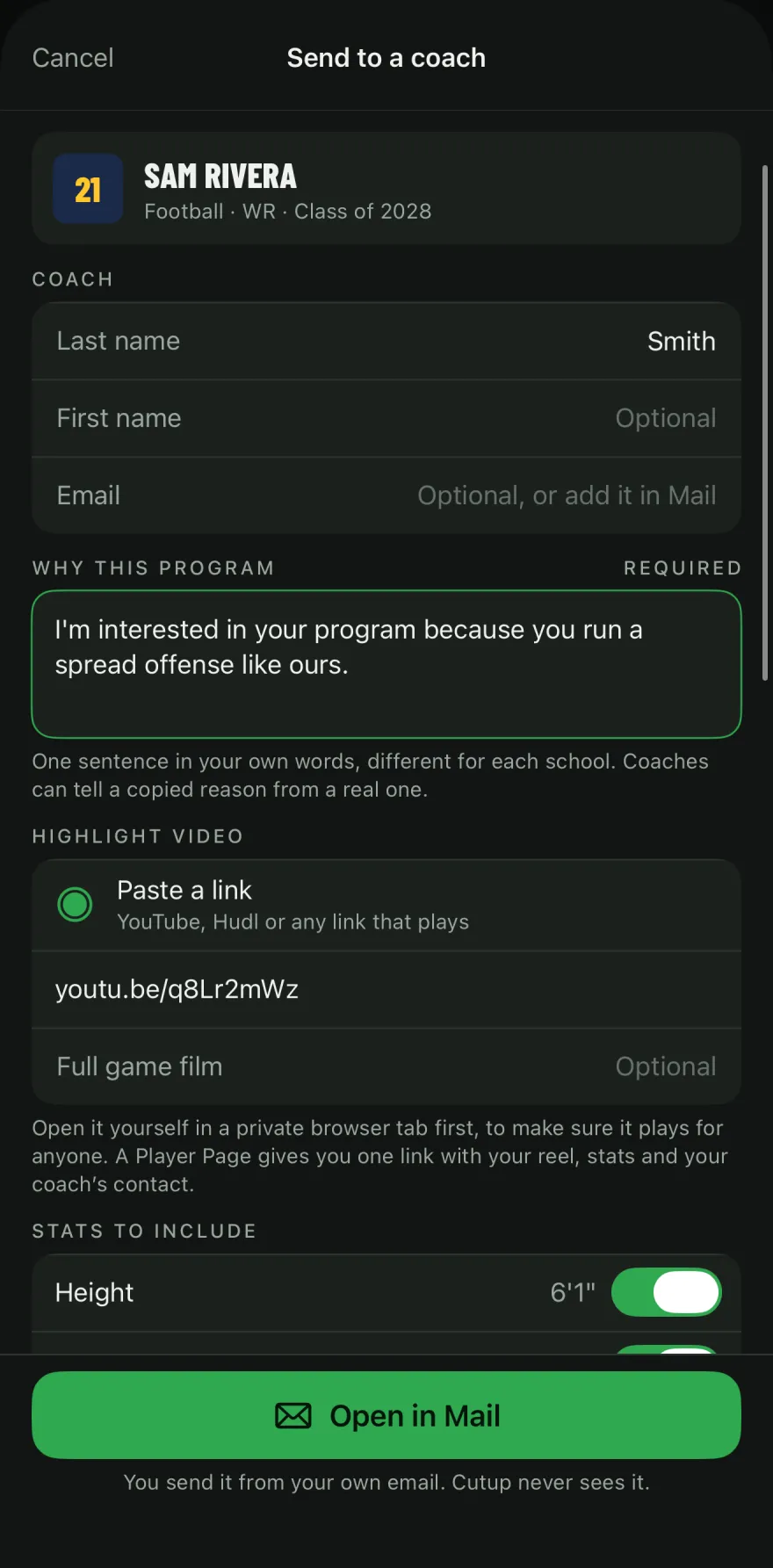
Why do you write the reason yourself?
Because it is the part a coach actually reads for. "I'm interested in your program because..." followed by something specific (the offense they run, a major you want, something you saw at their camp) tells a coach you looked at their school and did not send the same email to a hundred others. Coaches can tell a copied reason from a real one, so Cutup never fills it in, and you write a new one for each school.
Which link does the coach get?
If you have a published Player Page, the email links to it, so the coach sees your reel, stats and links in one place, and your page's stats show the visits that came from email. Without one, paste any link that plays: YouTube, Hudl or another video site. Open it yourself in a private browser tab first, to make sure it plays for someone who is not you.
How does it send?
From your own email. Cutup opens the email in Apple Mail with everything filled in, or in your usual mail app (such as Gmail) if Mail is not set up on your iPhone or iPad. You can still change any word before you send. Cutup never sees the email, the coach's address or your contact details: they stay on your iPhone or iPad and in your iCloud, like your other athlete details.
Where do you find it?
Three places in the app: after an export, on Your reel is ready; on your Player Page; and on any reel in My Reels (touch and hold it). If a detail the email needs is missing, such as your class year, Cutup says so and takes you to it. Your own coach's details and your game film link are remembered for each sport, so the next email starts with them.
What else should you know before sending?
Send it when your reel is ready, keep it short, and follow up if you do not hear back. When a coach may reply depends on the rules for your sport, division and association: check the NCAA, NAIA or NJCAA. The full advice, with an example email, is in How to send your highlight video to coaches.
Keep going
- See a sample Player Page
- Callouts: freeze the play and mark the player
- Title cards for highlight reels
- Music: free to use in your videos
- Player Page: one link for every recruiter
- on iPhone Duo and iPad
- Athletic résumé checklist for recruiting
- How to make a highlight reel for college recruiters
- A highlight reel guide for parents
- How to circle a player in a video on iPhone or iPad
- All guides
- Highlight reels by sport