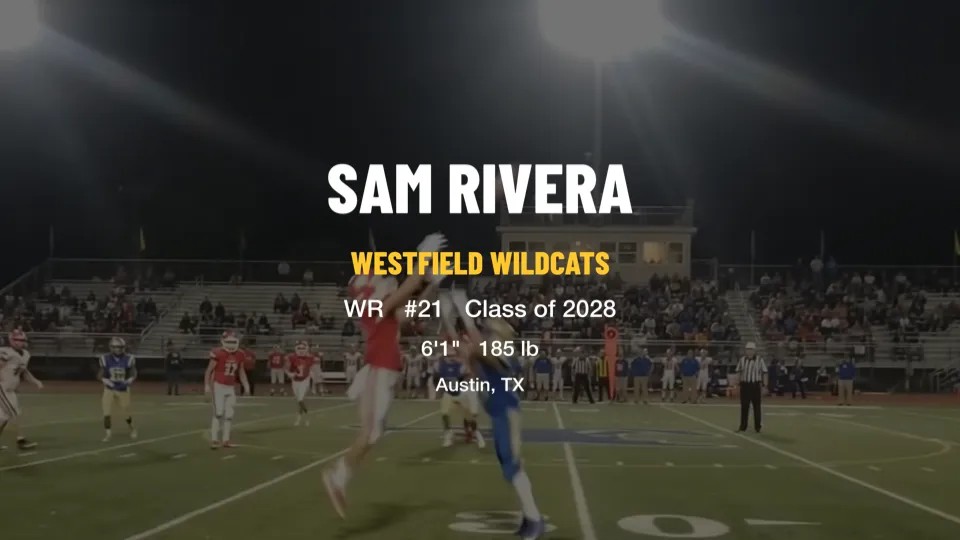
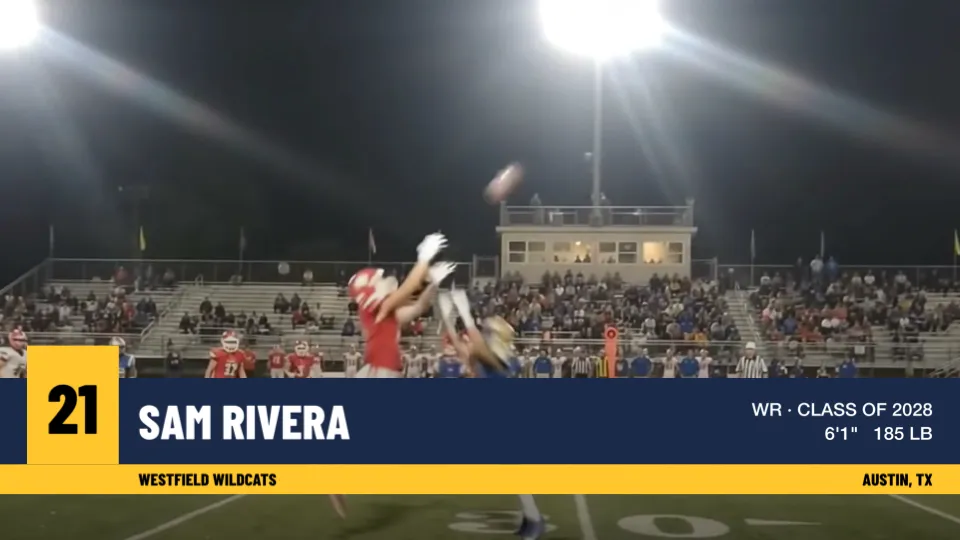
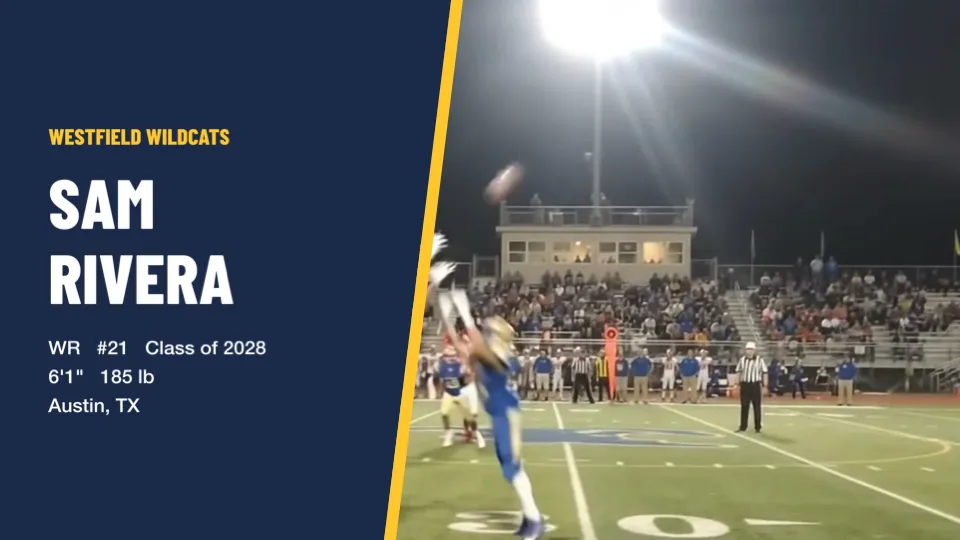
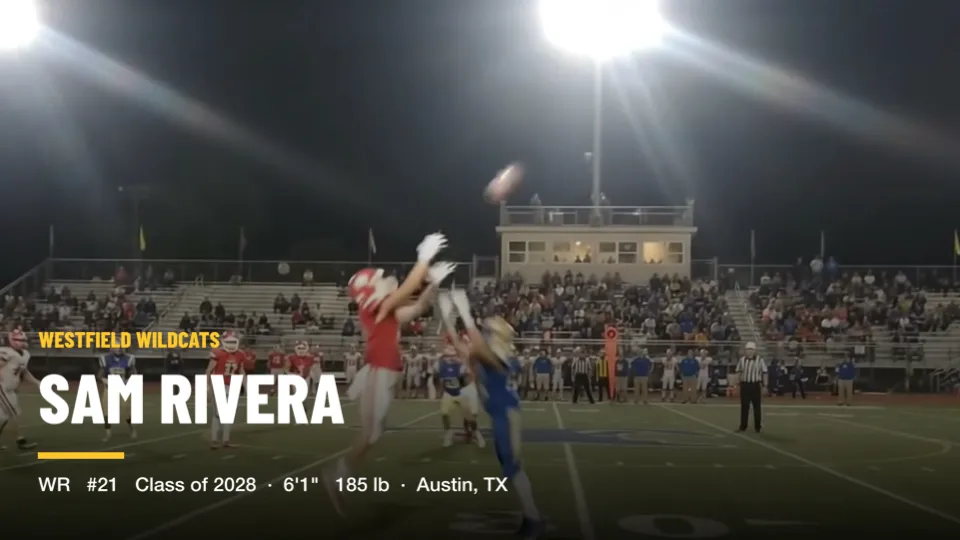
A title card is the first thing a coach sees: who you are, what you play and when you graduate. Cutup builds one from the athlete's details and puts it at the start of the reel. There are four free layouts and six more in the Title Card Pack, each in landscape (16:9) and vertical (9:16).
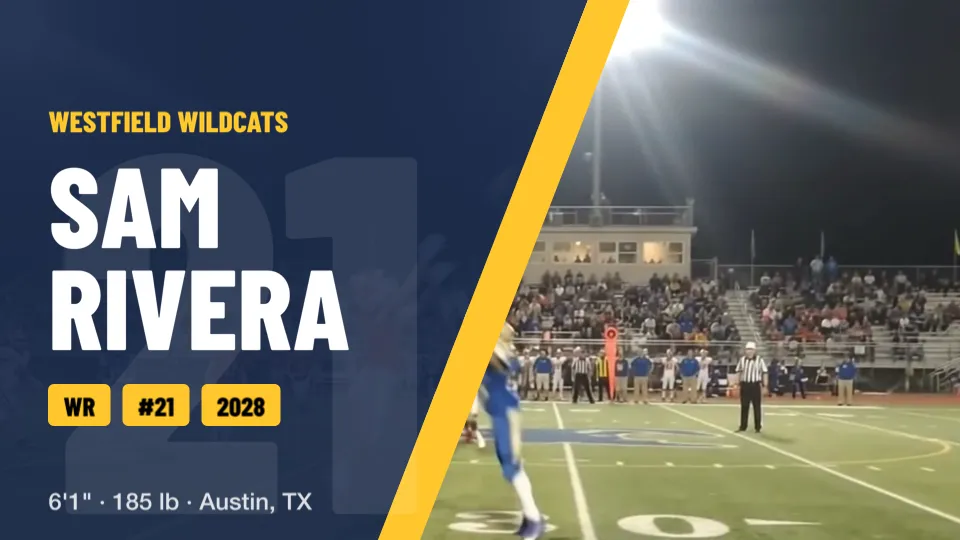
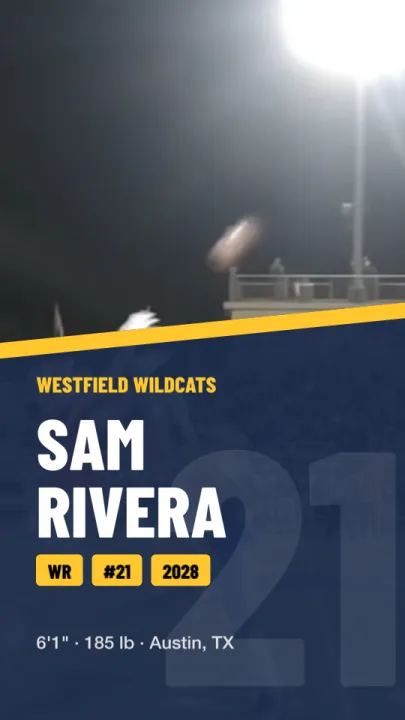
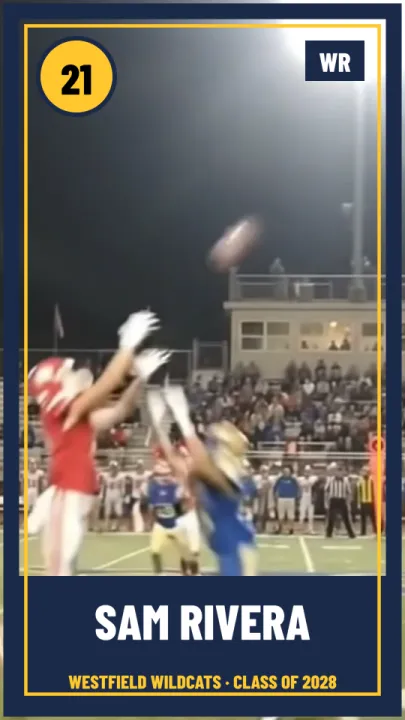
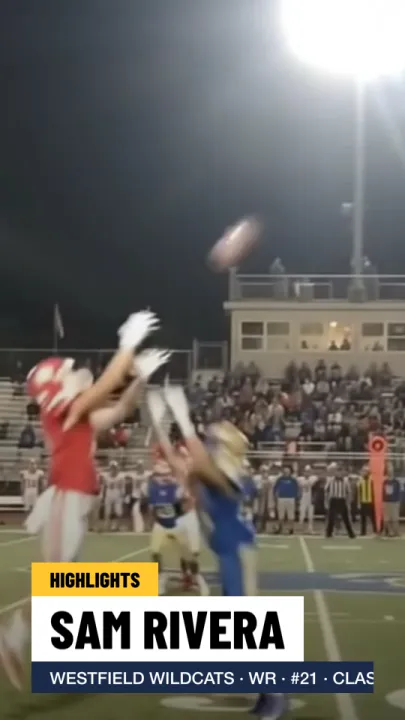
The pictures on this page are Cutup's own title cards, drawn by the app over a frame from a real game, with a made-up athlete. The pack layouts play their animation the way it appears in an exported reel.
What goes on a title card?
- First and last name
- Position, or weight class for wrestling, boxing and MMA
- Number, for sports that use one
- Class year
- Height and weight, with the weight in pounds or kilograms
- Team, or gym for boxing and MMA
- City and state
Cutup remembers each athlete's details, so the next reel's title card is filled in already. The position suggestions follow the sport you pick when you make the reel.
Free layouts
Centered, Lower Third, Side Panel and Bottom Fade.
Title Card Pack
Six animated layouts that build onto the screen: Game Day, Score Bug, Player Card, Starting Lineup, Headline and Big Outline. $4.99.


Vertical reels too
Every layout has its own vertical arrangement for 9:16 reels, made for phones and social media.
Background and colors
The background can be your team color, a photo, or a frame from the reel itself; drag to reposition a photo or frame, and darken it so the text stands out. The card uses your two team colors, and you can change the color of each part separately. The card stays on screen for as long as you set; pack layouts need at least three seconds so their animation can finish.
Numbers for sports without them
Wrestling, boxing and MMA have no jersey number, so their title cards leave it out, and layouts built around a number, such as Game Day and Player Card, show the athlete's initials instead.
Can you try the pack first?
Yes. Pick any pack layout and see it on your own reel. Cutup asks only when you export. See every price on the About page, and what to put on the card in How to make a highlight reel for college recruiters.
Keep going
- See a sample Player Page
- Callouts: freeze the play and mark the player
- Music: free to use in your videos
- Player Page: one link for every recruiter
- Send to a coach: an email to coaches, filled in
- on iPhone Duo and iPad
- Athletic résumé checklist for recruiting
- How to make a highlight reel for college recruiters
- A highlight reel guide for parents
- How to circle a player in a video on iPhone or iPad
- All guides
- Highlight reels by sport