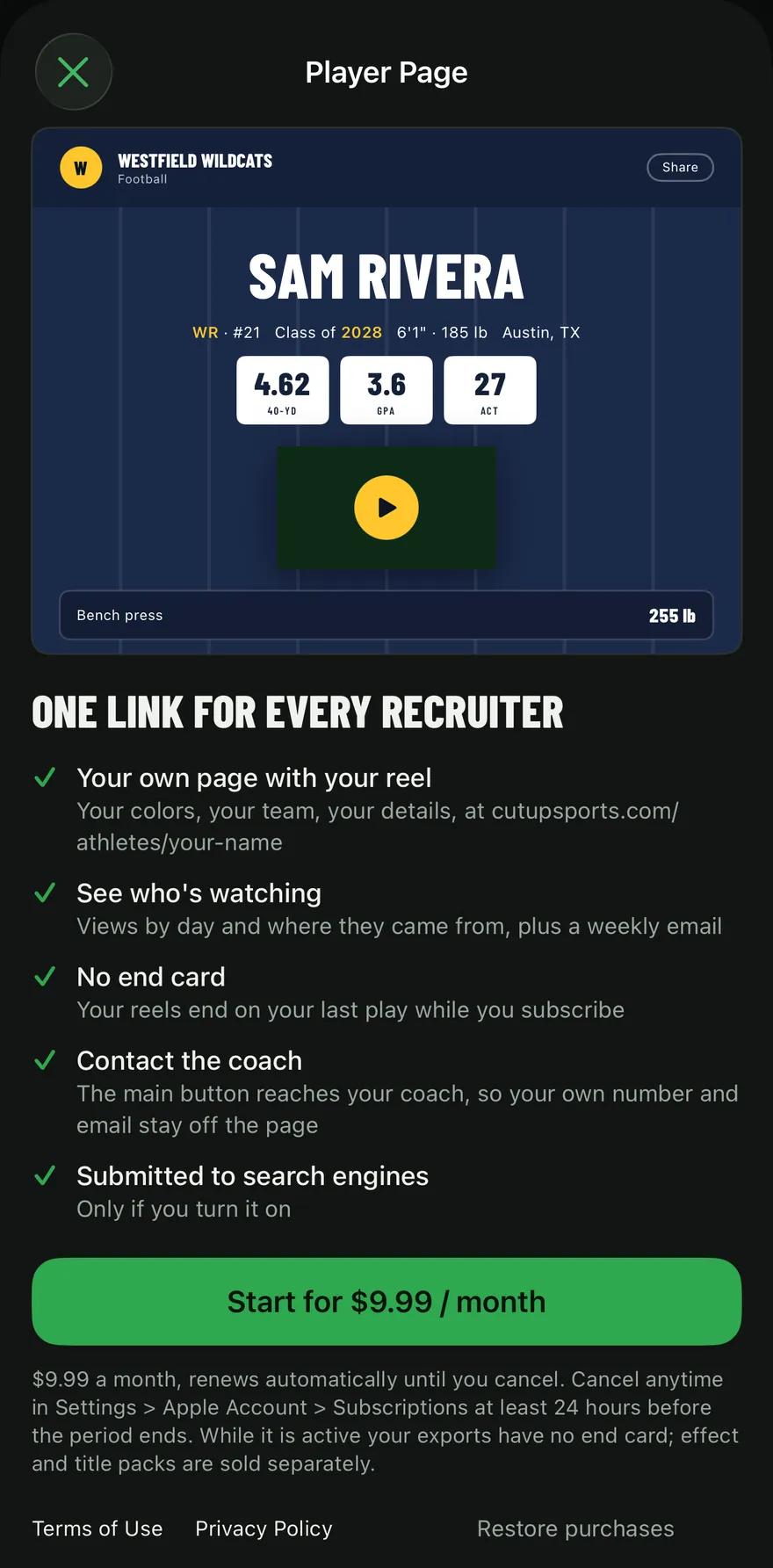
A Player Page is your own web page at cutupsports.com/athletes/your-name, with your highlight reel, your details and your stats, in your team colors. It is the one link you send to every coach, put in your email signature and add to your profiles. It is an optional subscription in the Cutup app for iPhone and iPad.
What is on a Player Page?
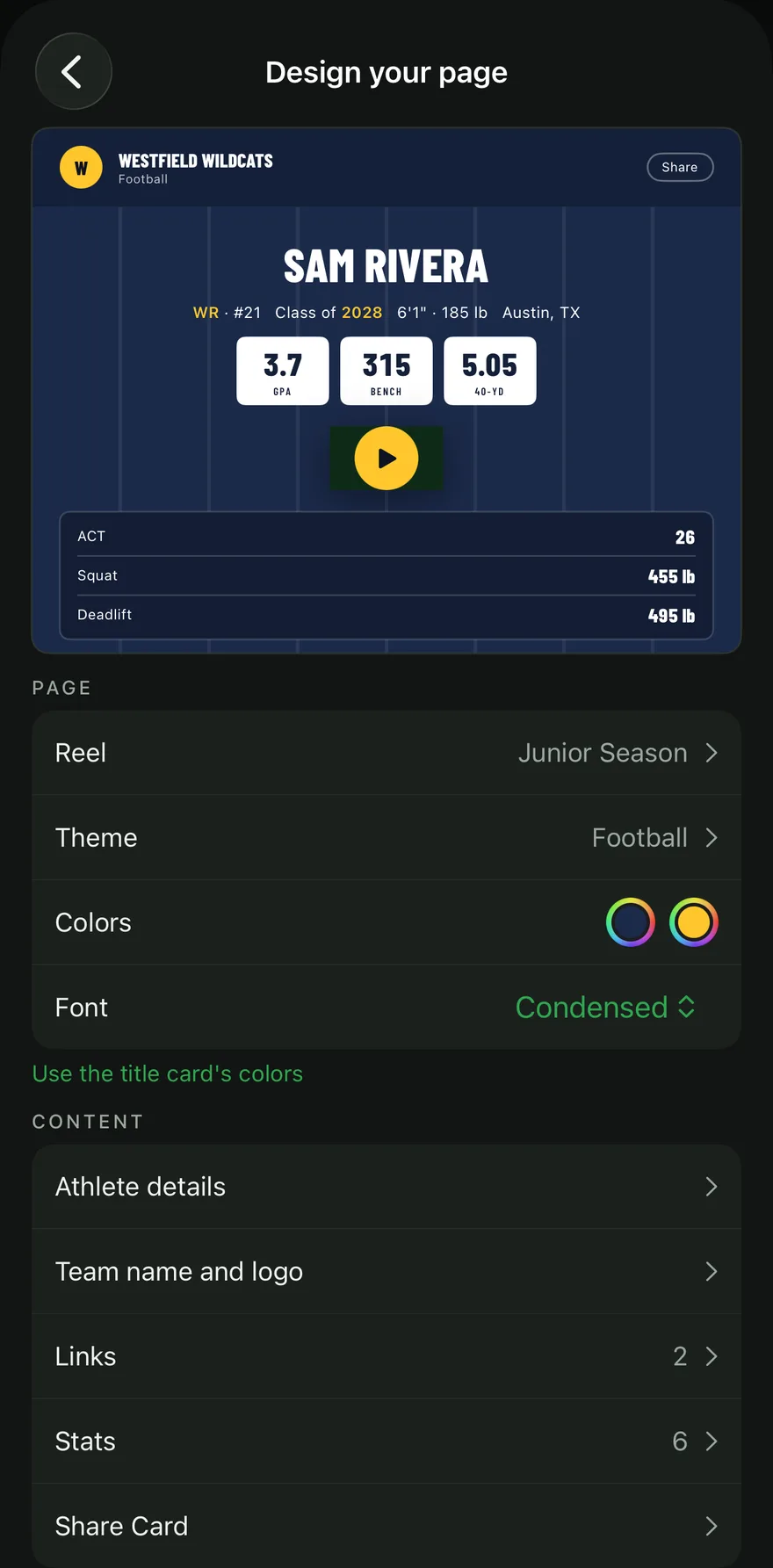
- Your reel, played on the page, made and exported in Cutup.
- Your details: name, position (or weight class), number, class year, height, weight, school and city.
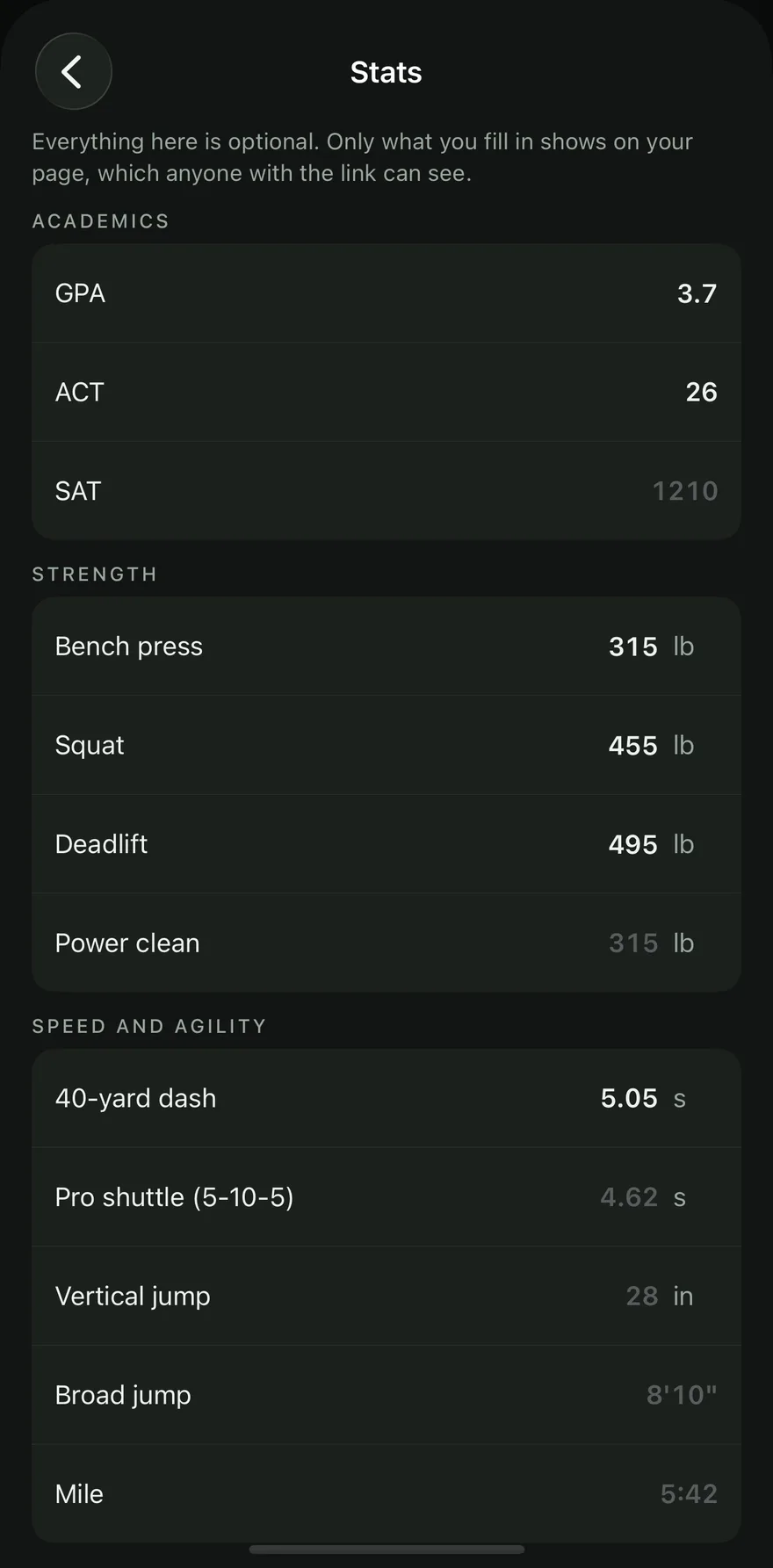
- Your stats, if you want them: academics, lifts, speed and agility, and stats for your sport.
- Links, such as full game film on Hudl or your school's roster page.
- A button to contact your coach, so your own phone number and email stay off the page.
- Your team colors and logo, on a design made for your sport: a field, a court, a diamond, a rink, a mat, a ring or a cage.
See a real one: the sample Player Page.
How do you make one?
- In Cutup, open Player Page and subscribe.
- Choose your page's address, for example cutupsports.com/athletes/jordan-hayes.
- Design your page: pick the reel, the theme, your colors and font, your details, links and stats. A preview shows the page as you go.
- Publish. Cutup exports the reel and puts the page online. Changes you make later go live when you tap Publish changes, and changes that do not touch the reel publish without uploading the video again.
What stats can you show?
Your GPA and test scores, lifts (bench press, squat, deadlift, power clean), speed and agility times, and stats for your sport, such as exit velocity for baseball and softball, approach jump for volleyball or your record for wrestling, boxing and MMA. You can add up to three of your own. Every stat is optional, and only what you fill in appears. With up to three stats they show under your name; with more, you choose which three go there and the rest appear under your reel. Cutup checks each value and says what is wrong when one does not fit, so only valid numbers reach the page.
Can you see who is watching?
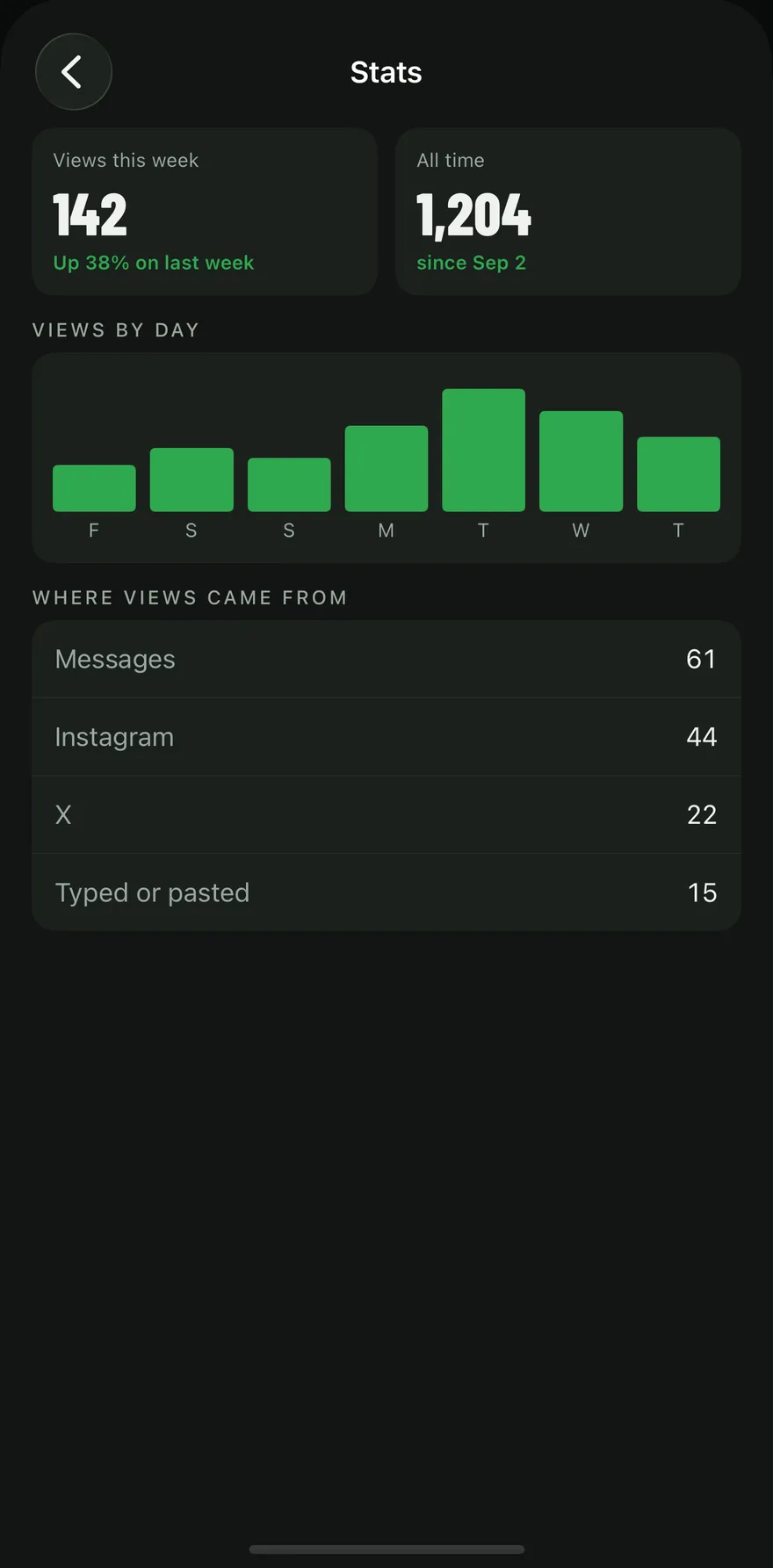
You can see how many people visited and how. The Stats screen in the app shows views this week and in total, views by day, where visits came from (such as Messages, Instagram or X, or typed in), how many visits played the reel, and when the page was submitted to search engines. You can also get a weekly email with the numbers. Counts come from the page itself; no visitor is identified or tracked.
Who can see a Player Page?
Anyone you send the link to. The page stays out of search engines unless you turn on Allow search engines in Page settings. You can unpublish the page at any time, which hides it and keeps your work, or delete the page and its data. Every page has a link to report it, and a parent can ask us to remove a page about their child.
What does it cost?
$9.99 a month, billed through your Apple Account. While you subscribe, every reel you export from Cutup has no end card (the small Cutup watermark stays). Effect and title card packs are sold separately.
To cancel, open Settings on your iPhone or iPad, then your name, then Subscriptions, then Cutup. The page stays up until the end of the period you paid for. If the subscription ends, the page goes offline; it is kept for 60 days, so if you subscribe again within that time it comes back at the same address.
Do you need a Player Page to use Cutup?
No. Making and exporting highlight reels is free. A Player Page is for families who want one link that holds the reel and everything a coach needs next to it. For what to put around your video, see the athletic résumé checklist, and for sending it, How to send your highlight video to coaches.
Keep going
- See a sample Player Page
- Callouts: freeze the play and mark the player
- Title cards for highlight reels
- Music: free to use in your videos
- Send to a coach: an email to coaches, filled in
- on iPhone Duo and iPad
- Athletic résumé checklist for recruiting
- How to make a highlight reel for college recruiters
- A highlight reel guide for parents
- How to circle a player in a video on iPhone or iPad
- All guides
- Highlight reels by sport