Baseball coaches often value the same view, repeated, over a few big moments: a hitter's swing from the side, a pitcher from behind or the open side, a fielder from the first step to the throw. Clean, repeated looks let them judge mechanics. Put the skill work first and game results after it.
Plays to include
- Hitters: several swings from the side, line drives to all fields, and a two-strike at-bat.
- Pitchers: each pitch you throw, with the full delivery in frame, from the open side and from behind the mound.
- Catchers: throws to second, blocks in the dirt and receiving.
- Infielders: ground balls to both sides, backhands, and double-play turns.
- Outfielders: reads off the bat, catches on the run, and throws to a base.
- Running: home to first, and first to third on a single.
How Cutup helps here
Many baseball clips are filmed upright on a phone behind the backstop. Choose 9:16 to keep them full screen, or 16:9 so they sit beside game film with a blurred fill at the sides. Trim with the frame-step buttons so each swing starts at the load and each pitch at the first move.
The Baseball Pack brings callouts from the diamond: Bat Banner swings a bat in beside you with your name along the barrel, Strike Zone draws a 3 x 3 grid over the batter, and Radar Gun counts up to a pitch speed you type in.

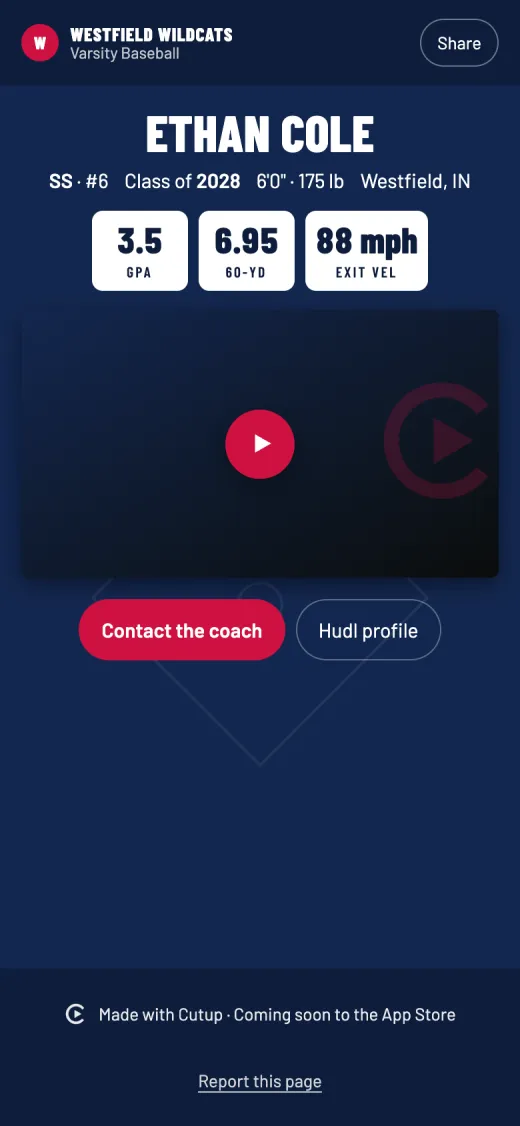
Put the pitch type, or a velocity your coach measured, in a lower third label so a coach knows what they are watching. On your Player Page, the baseball stats include exit velocity, throwing velocity and the 60-yard dash.
Details for baseball in Cutup
- Position on the title card: suggestions for P, C, 1B, 2B, 3B, SS, LF, CF, RF and UT, or type your own.
- Number: the title card shows your number.
- Player Page stats: GPA, ACT, SAT, Bench press, Squat, Deadlift, Power clean, 40-yard dash, Vertical jump, 60-yard dash, Mile, Exit velocity and Throwing velocity, and up to three of your own.
Keep going
- See a sample Player Page
- Callouts: freeze the play and mark the player
- Title cards for highlight reels
- Music: free to use in your videos
- Player Page: one link for every recruiter
- Send to a coach: an email to coaches, filled in
- on iPhone Duo and iPad
- Athletic résumé checklist for recruiting
- How to make a highlight reel for college recruiters
- A highlight reel guide for parents
- How to circle a player in a video on iPhone or iPad
- All guides
- Highlight reels by sport