In a basketball reel, a coach watches your decisions as closely as your baskets: how you create space, who you find, and how you defend. Ten players move on a small floor at once, so each clip has to show who you are in its first second. Show both ends of the floor, not only the scoring.
Plays to include
- Guards: pick-and-roll reads, passes that lead to a basket, pull-up jumpers and pressure on the ball.
- Wings: catch-and-shoot threes, drives to the rim, and hard closeouts on defense.
- Forwards and centers: post moves, put-backs, screens that free a teammate, and blocked shots.
- Transition: outlet passes, finishes on the break and sprints back on defense.
- Defense: steals, charges taken, help rotations and staying in front of a driver.
- Late-game plays: free throws or stops in a close finish, when they say something about you.
How Cutup helps here
Freeze the frame where the possession starts and put a ring on yourself; a Pulsing Ring or Target Lock from the Spotlight Pack stands out against a busy gym floor. Add a label such as "Assist" or "And-one" in the tag style so a coach can scan the reel quickly.
For callouts made for the court, the Basketball Pack has Ball Badge, a basketball that bounces to a stop beside you with your number on it, Nothing But Net, which drops a rim over your head, and Shot Arc, a dotted arc from your hands to the hoop that you can turn to match the shot.

Gym film is usually landscape, while clips from parents in the stands are often upright. In a 16:9 reel, Cutup fills the sides of an upright clip with a blurred copy of its own frame instead of black bars, so the two kinds of footage sit together. Keep crowd noise on a clip from the Sound tab, and any music drops to half volume under it.
Details for basketball in Cutup
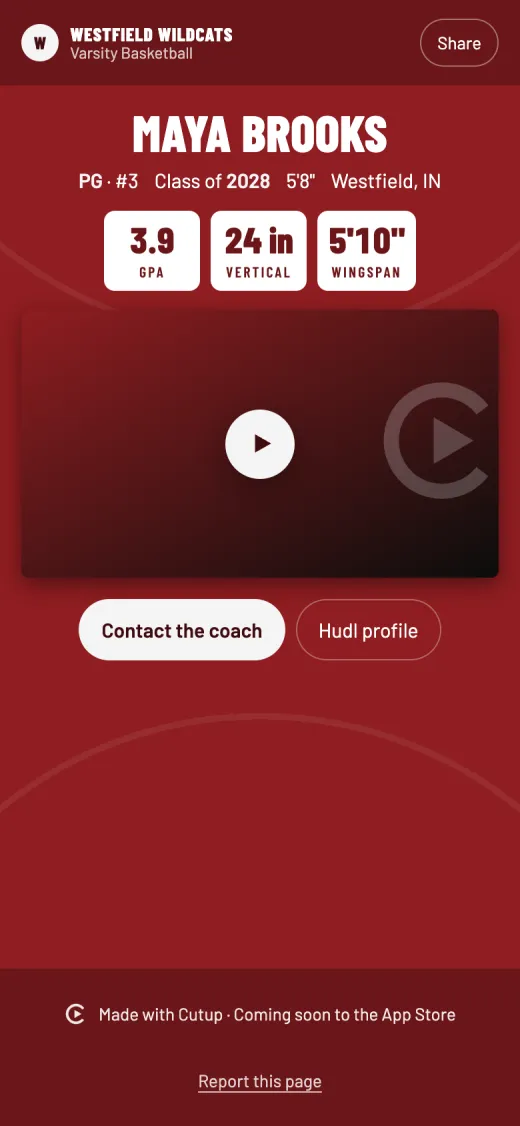
- Position on the title card: suggestions for PG, SG, SF, PF, C, G and F, or type your own.
- Number: the title card shows your number.
- Player Page stats: GPA, ACT, SAT, Bench press, Squat, Deadlift, Power clean, Pro shuttle (5-10-5), Vertical jump, Broad jump, Mile and Wingspan, and up to three of your own.
Keep going
- See a sample Player Page
- Callouts: freeze the play and mark the player
- Title cards for highlight reels
- Music: free to use in your videos
- Player Page: one link for every recruiter
- Send to a coach: an email to coaches, filled in
- on iPhone Duo and iPad
- Athletic résumé checklist for recruiting
- How to make a highlight reel for college recruiters
- A highlight reel guide for parents
- How to circle a player in a video on iPhone or iPad
- All guides
- Highlight reels by sport