Hockey footage is fast and usually filmed from high in the rink, where every skater is small. A coach wants to see your skating, your decisions with the puck and how you play without it. Start each clip just before you touch the puck, so your part in the play is clear.
Plays to include
- Forwards: controlled zone entries, goals and assists, and battles won along the boards.
- Centers: face-off wins and coverage in your own zone.
- Defense: breakout passes, gap control, blocked shots, and keeping the puck in at the blue line.
- Goalies: saves through screens, rebound control and post-to-post movement.
- Special teams: power play setups and penalty kill clears.
How Cutup helps here
Freeze the frame and put a Glow Halo or a Pulsing Ring from the Spotlight Pack on yourself, so a coach can pick you out among ten skaters. Trim with the frame-step buttons to cut line changes and whistles, and keep each shift to the moment that matters.
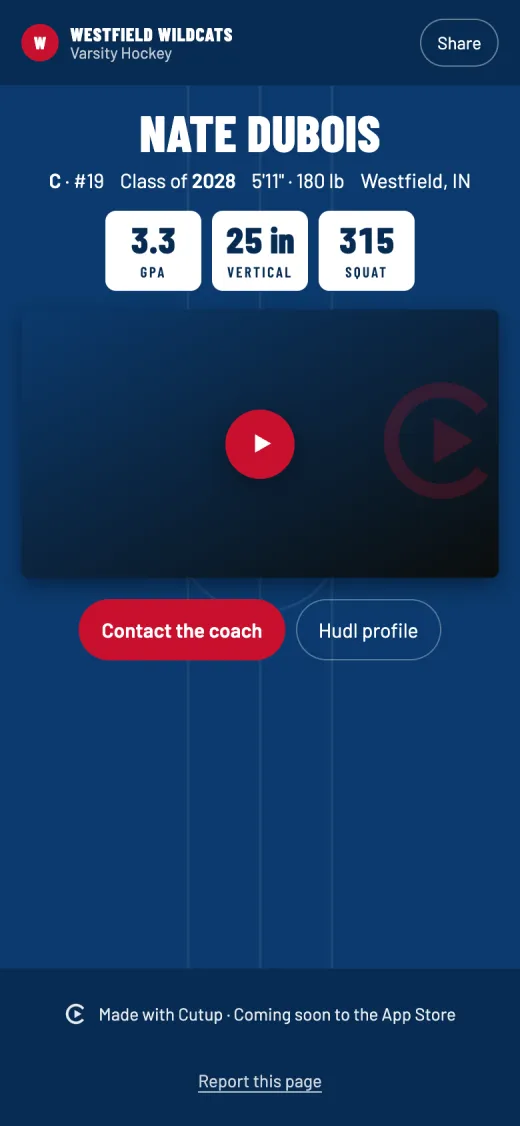
Rink cameras film wide, so choose 16:9. The hockey Player Page has a rink pattern in your team colors, and the title card keeps your position and number.
Details for hockey in Cutup
- Position on the title card: suggestions for C, LW, RW, F, D and G, or type your own.
- Number: the title card shows your number.
- Player Page stats: GPA, ACT, SAT, Bench press, Squat, Deadlift, Power clean, Vertical jump and Mile, and up to three of your own.
Keep going
- See a sample Player Page
- Callouts: freeze the play and mark the player
- Title cards for highlight reels
- Music: free to use in your videos
- Player Page: one link for every recruiter
- Send to a coach: an email to coaches, filled in
- on iPhone Duo and iPad
- Athletic résumé checklist for recruiting
- How to make a highlight reel for college recruiters
- A highlight reel guide for parents
- How to circle a player in a video on iPhone or iPad
- All guides
- Highlight reels by sport